Microsoft Office 2007
Microsoft Office 2007 Free Download for PC Windows 7/10/8, 32/64-bit introducing the new versions of Word, Excel, and PowerPoint

Free PDF Solutions
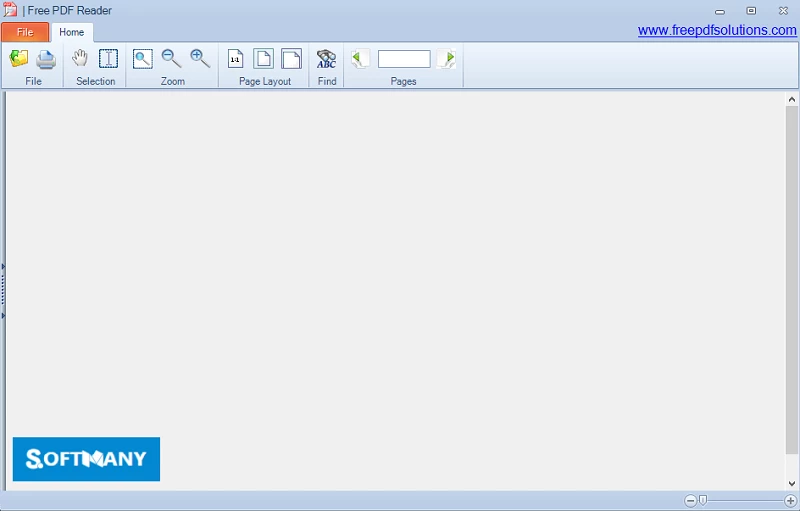
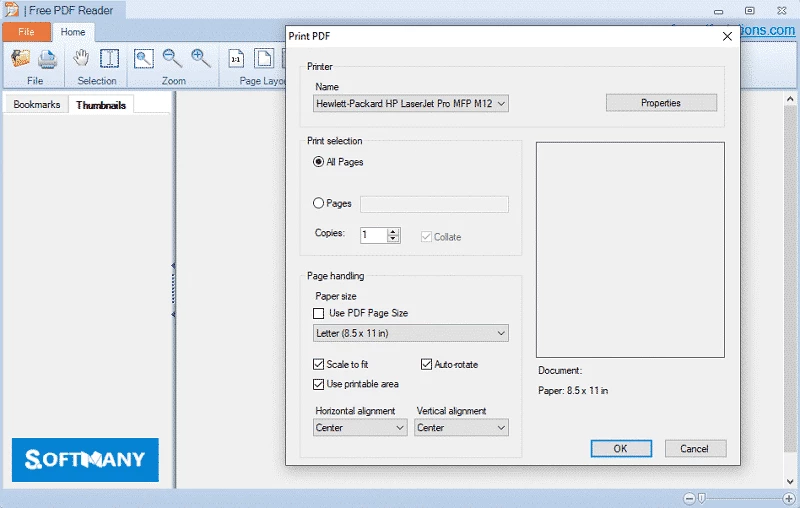

Free PDF Reader is a handy PDF solution to enable the users read and views their PDF files, and also manages and converts the PDF documents more reliably. It is free to use utility that offers annotation as well as fill PDF forms within support of reading, viewing, copying, printing, and searching of PDF documents.
The PDF Reader is great software that allows you convert PDF documents into multiple formats including Word, images, text, and so on. The simple interface arranged with multiple tabs helps to handle various PDF files simultaneously.
Free PDF Reader developed by FreePDFSolutions, is a lightweight and efficient tool used for opening as well as reading PDF files. The multitasking tool streamlines an awesome experience of managing multi-tab interface with copy/paste functionality. The tool within simplicity and robust speed makes your reading and viewing of PDF files quick and accurate.
The innovative software is the best solution for managing your PDF files while supporting all types of Windows operating systems. It offers zooming, page rotation, and slideshow presentations, and also integration for multiple languages for your ease.
The simple and straightforward interface offers quick navigation within a standard explorer frame. You can use settings menu to navigate different options, as the app offers free services, but embedded with all important features including multi-view mode, text copy converter, page rotation, PDF printing, and page snapshot as well.
The software protects the original layouts and fonts of PDF within high fidelity, as you are capable of selecting from single page, continue scrolling, and also use reader modes. Get precise analysis within zooming feature without losing quality, and use the clutter-free interface to view your content front and center.
The PDF reader proves the best solution to reliably figure out the entire functionality, as it claims to offer all innovative features including advanced annotation and markup. So, you can reliably emphasize key points while highlighting, underlining, and add sticky notes. You can share your feedback as well as reminder through text commenting. Draw shapes, lines, and other freehand sketches within drawing tools, and annotate reliably only within one panel and review easily.
It allows you to view and read all available PDF files on your system, as within seamless navigation, you can access to all basic features including simultaneous viewing of multi as well as single pages, copy and convert text for editing, drag the page to the center, and program’s sidebar navigation. In addition, the basic taskbar tabs and representative icons are available for your ease to manage everything more reliably.
The PDF reader offers a fast search tool for quickly accessing to any word or phrase. You will also find bookmarking facility that makes your accessibility to your favorite sections easy and simple. Have a quick overview for page thumbnails from a side panel, and interacting with your PDFs, regardless of their quantity.
The software supports reliable PDF converting to multiple formats including Word, image, text, etc, and also preserves the original layout and quality. You are also capable of splitting and merging PDFs while extracting images. You can makes your PDFs secure while applying password protections, and also remove it, whenever you want. You can operate multiple your daily tasks using the more convenient utility, as it allows you to select and copy text, and also count words across multiple documents. However, it doesn’t have built-in PDF editing tools, and other advanced functionality.
The app offers multiple innovative tasks for your ease to manage your PDFs more reliably such as;
The software is lightweight and consumes very few system resources to offer quick loading times, and also opens files without any significant delays. It caters the users to straightforward PDF viewing capabilities while enjoying the workflow like a breeze. In addition, the multilingual support offers a wide accessibility for users across the world. You can also use some extra tools including form filling, digital signing, and document collaboration as well.
Pros
Cons

Microsoft Office 2007 Free Download for PC Windows 7/10/8, 32/64-bit introducing the new versions of Word, Excel, and PowerPoint

Adobe Reader offers quick functionality for viewing and annotating PDF files.
iLovePDF, the quick way of reading, editing, and converting PDF files

Microsoft Office 2010 has multiple editing and visualization features

Microsoft Excel has enhanced and powerful data-analyzing capabilities

Microsoft Office 2019 is a comprehensive suite of productivity apps